Blind/Low Vision
People with a blind or low vision disability include those with conditions ranging from the presence of good usable vision, low vision, or the absence of any sight at all resulting in total blindness. Below are a number of assistive technologies that CAP recommends as appropriate accommodation solutions for people with this disability.
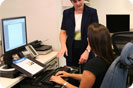
If you don't know which solutions are the best for you, a needs assessment will help you determine which items will assist you most.
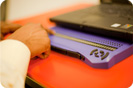
The "refreshable" Braille appears one line at a time. Braille displays, used by people who are Braille literate, must be used in conjunction with screen readers, which contain the software necessary to activate the Braille display. Compatible with word processing, database, commercial web browsers, and spreadsheet applications, Braille displays make proofreading, spreadsheet, and database applications more efficient than speech output alone.
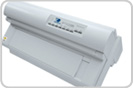
A Braille embosser is a printer that creates tactile Braille cells instead of written text. Using Braille translation software, a document can be embossed, making Braille production more efficient and available to people who are Braille literate.
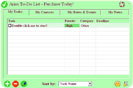
A Braille Translator is a software program that translates a script into Braille cells, and sends it to a Braille embosser, which produces a hard copy in Braille script of the original text.
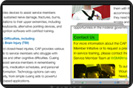
Magnification software is used to enlarge print on the computer screen. Images can be enlarged up to 16 times, and the user controls print size, color contrast, and color selection.
None available at this time.
A Braille Translator is a software program that translates a script into Braille cells, and sends it to a Braille embosser, which produces a hard copy in Braille script of the original text.
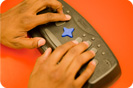
Store up to six thousand Braille pages. Portable notetakers can be operated from a desktop or from a person's lap. All models have built-in speech synthesizers; some also have Braille displays. Portable notetakers are used instead of a pen/pencil and are similar to portable data assistants (PDA). Users can choose between the Perkins style (eight key Braille input) or a standard typewriter keyboard.
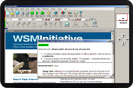
Scanner/Readers convert typewritten or typeset material into clearly spoken synthesized speech. Scanners/readers feature both verbal output and text highlighting, assist in facilitating reading, and can be used in conjunction with a document scanner. Individual settings are available for screen color, reading speed, degrees of highlighting, and note-taking capabilities. Scanned text can be read immediately, stored on computer disk, saved into a word processing application, or prepared for Braille production.
Magnification software is used to enlarge print on the computer screen. Images can be enlarged up to 16 times, and the user controls print size, color contrast, and color selection.
The "refreshable" Braille appears one line at a time. Braille displays, used by people who are Braille literate, must be used in conjunction with screen readers, which contain the software necessary to activate the Braille display. Compatible with word processing, database, commercial web browsers, and spreadsheet applications, Braille displays make proofreading, spreadsheet, and database applications more efficient than speech output alone.
A Braille embosser is a printer that creates tactile Braille cells instead of written text. Using Braille translation software, a document can be embossed, making Braille production more efficient and available to people who are Braille literate.
Scanner/Readers convert typewritten or typeset material into clearly spoken synthesized speech. Scanners/readers feature both verbal output and text highlighting, assist in facilitating reading, and can be used in conjunction with a document scanner. Individual settings are available for screen color, reading speed, degrees of highlighting, and note-taking capabilities. Scanned text can be read immediately, stored on computer disk, saved into a word processing application, or prepared for Braille production.
Magnification software is used to enlarge print on the computer screen. Images can be enlarged up to 16 times, and the user controls print size, color contrast, and color selection.